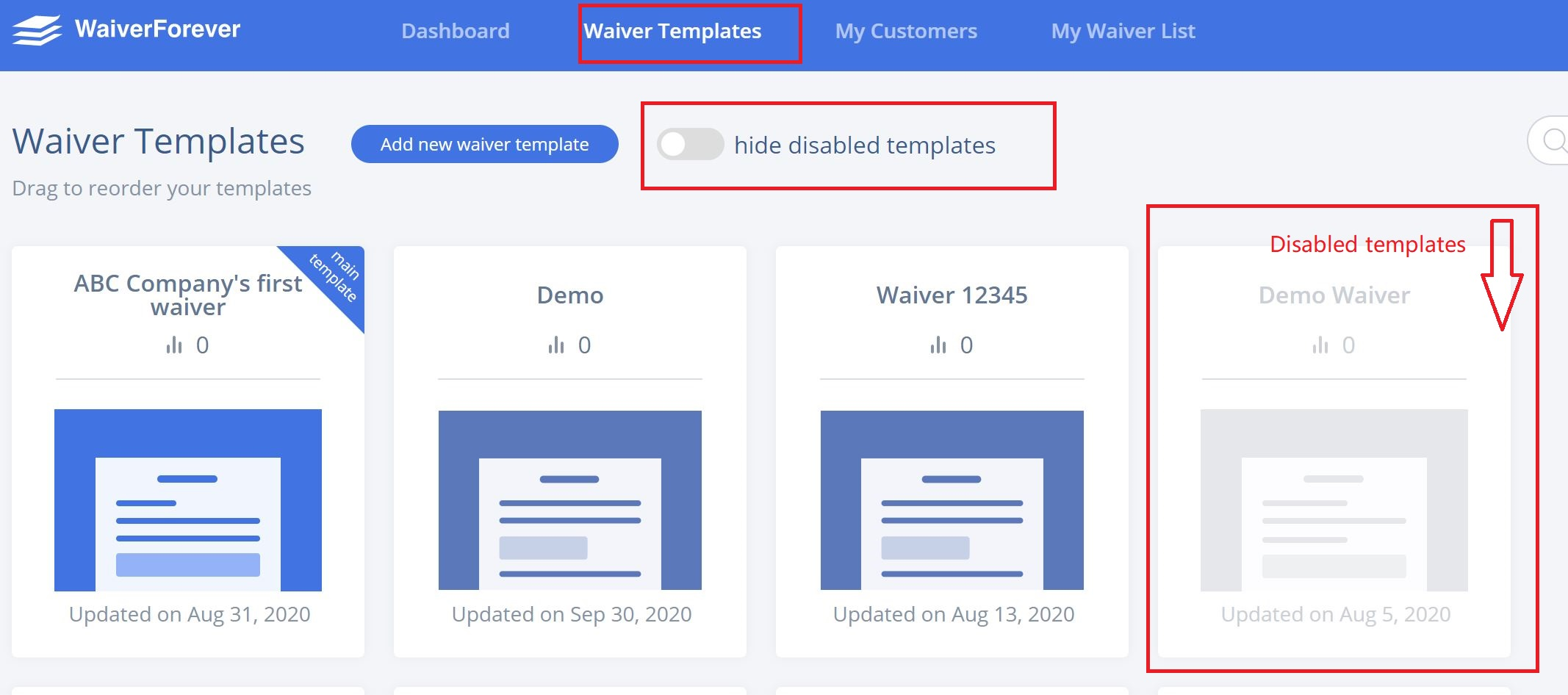
1 Show disabled templates. Go to the “Waiver Template” page in your web console, select that template:

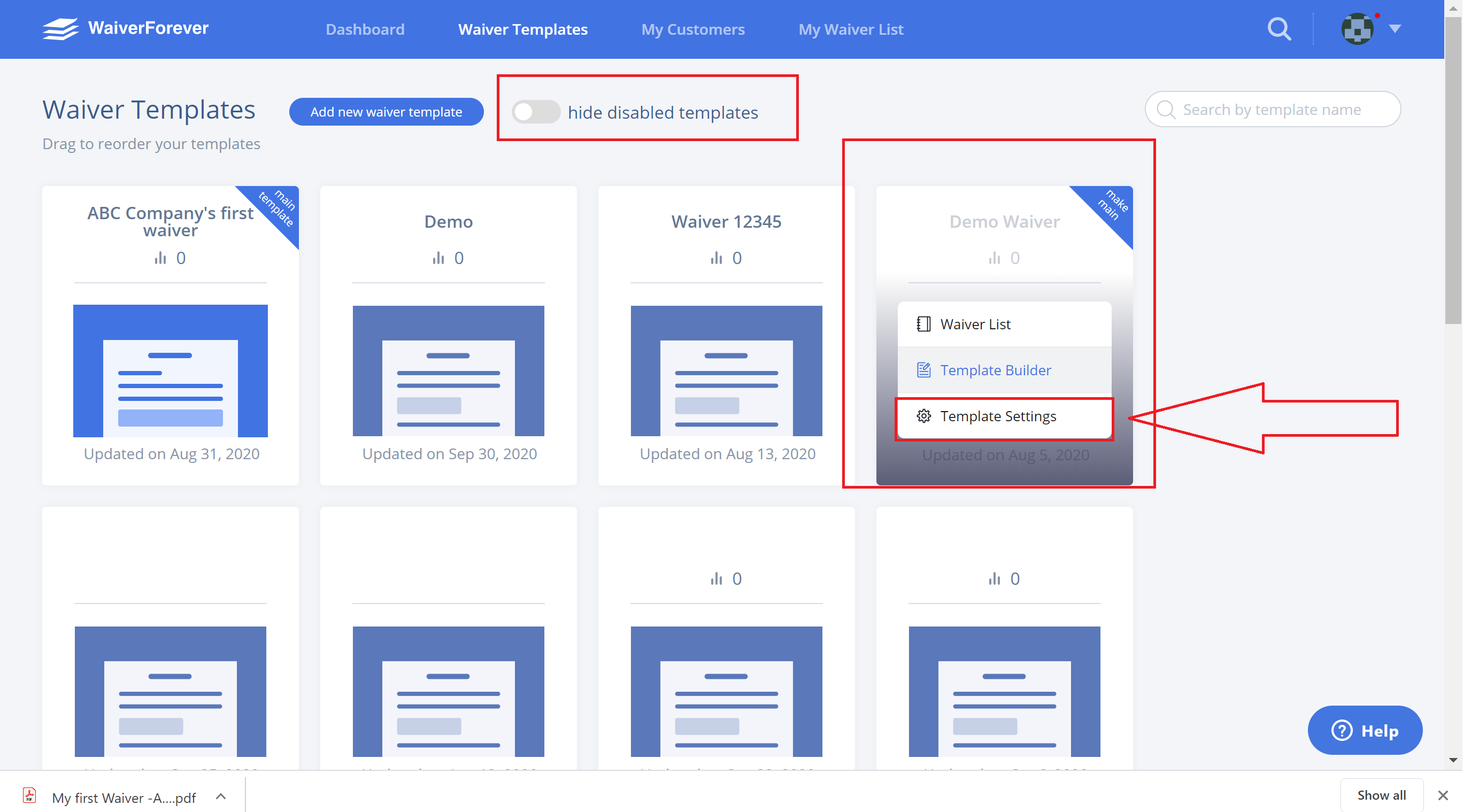
2 Template Settings:
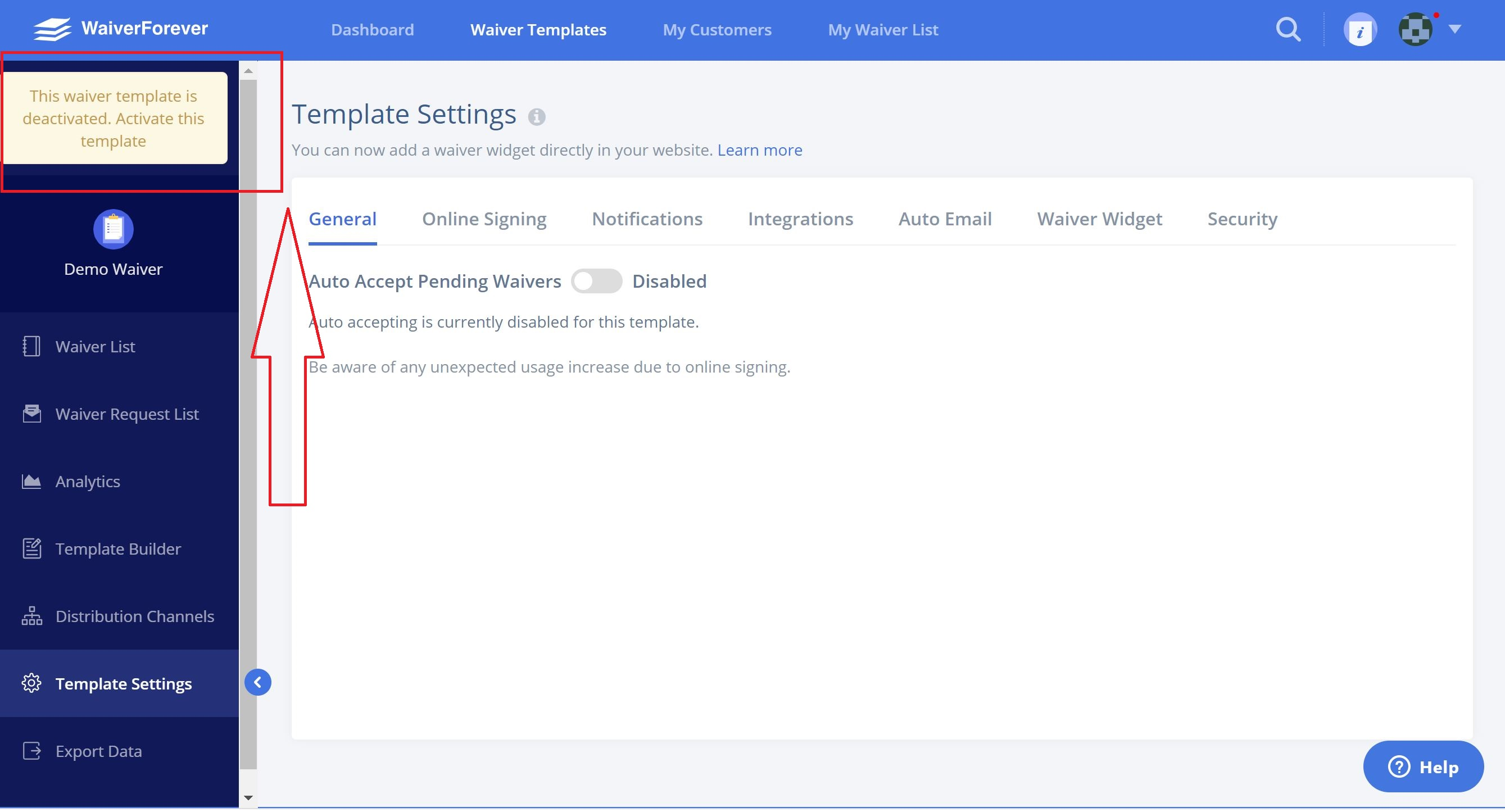
There will be a pop-up on the left top, and you’ll see the “Activate this template”, click it then it will be reactivated.
1 Show disabled templates. Go to the “Waiver Template” page in your web console, select that template:
2 Template Settings:
There will be a pop-up on the left top, and you’ll see the “Activate this template”, click it then it will be reactivated.